
Sonoma County Court Records After a Jail Arrest
Sonoma County court records after a jail arrest follow a specific path: arrest, booking, prosecutor review, charging document, and then a Sonoma County Superior Court case. The arresting agency brings the person into Sonoma County Jail, where detention staff create custody data and a booking number. If the person is still in county custody, the Sonoma Sheriff jail search may show public result columns such as name, age, arresting agency, and booking number. That jail entry does not decide the final criminal case.
The Sonoma County District Attorney's Office, currently led by District Attorney Carla Rodriguez, prosecutes state criminal matters in Sonoma County as representative of the People of the State of California. After reviewing law enforcement reports, the DA may file charges, decline charges, add different charges, reduce allegations, or amend them later. Once a complaint, information, or indictment is filed, the case belongs in Sonoma County Superior Court records rather than only in the sheriff roster.
Use jail inmate records when the question is whether someone is currently held in the Main Adult Detention Facility or another Sonoma Sheriff detention setting. Use jail roster mugshots for the separate question of booking photos and California booking-photo access limits. Use the court portal or clerk request process when the question is what charges were filed, whether a hearing is scheduled, whether a bench warrant exists in a case, or whether a charge was dismissed, reduced, or resolved by plea or judgment.
How to Find Court Records After an Arrest
The official online route starts with the Sonoma Superior Court online services page, which links to the court case portal. The public case portal is the Odyssey Portal. For criminal case searching, Smart Search is the key public search tool: enter a case number if known, or enter a person's name in the required court format.
The Sonoma Superior Court online services page shows the court case portal access point for public case lookup.
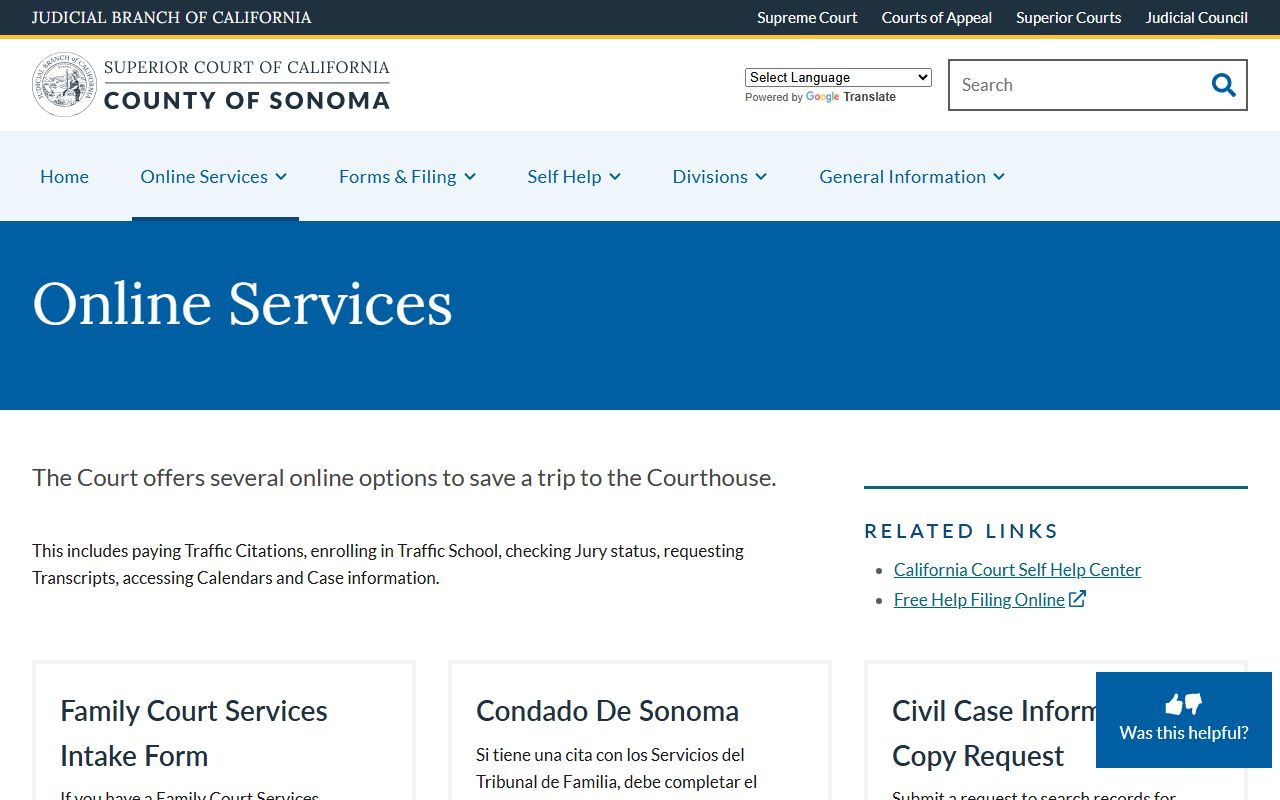
That court services page is the bridge from jail booking information to the Superior Court system where filed charges and court events are searched.
- Start with the jail search if needed and collect the spelling of the person's name, booking number, arresting agency, and approximate arrest date.
- Open the Sonoma Superior Court online services page and choose the court case portal.
- In the Odyssey Portal, select Smart Search.
- Search by case number if one is known. If not, search by name in the court's format: Last, First, Middle suffix.
- Compare results using defendant name, filing date, case type, hearing dates, and any known arrest information.
- Open the matching case and review publicly available charge, event, hearing, and disposition information.
- If the case is not visible online, check daily criminal calendars or use the CR-01 records request fallback.
A Sonoma booking number is not the same thing as a court case number. It still helps because it distinguishes the booking episode when a clerk, attorney, or records staff member needs to match an arrest to a court filing. A same-day arrest may also be too new for every court entry to appear, because the DA review and filing step has to occur before a Superior Court case can be searched as a filed criminal matter.
Sonoma Court Portal Smart Search Fields
The Sonoma Superior Court criminal portal instructions put the public search in Smart Search. The key formatting point is the name order. Search "Garcia, Maria" style rather than typing the name in ordinary first-name-first order. Common names should be checked against filing date, hearing date, and any case detail the portal makes public.
| Portal Field or Function | Required | How to Use It |
|---|---|---|
| Smart Search search field | Yes for search | Enter a case number or individual name in "Last, First, Middle suffix" format. |
| Submit | Yes | Runs the Smart Search query after the case number or name is entered. |
| Search Hearings | Optional | Portal materials reference hearing searches by courtroom, judicial officer, or date; public availability may differ by access role. |
| Registration or login | Not required for basic public search | Some document views, copies, or restricted functions may require registration, role access, or a clerk request. |
The Sonoma Superior Court Odyssey Portal is the direct public portal for case searching.
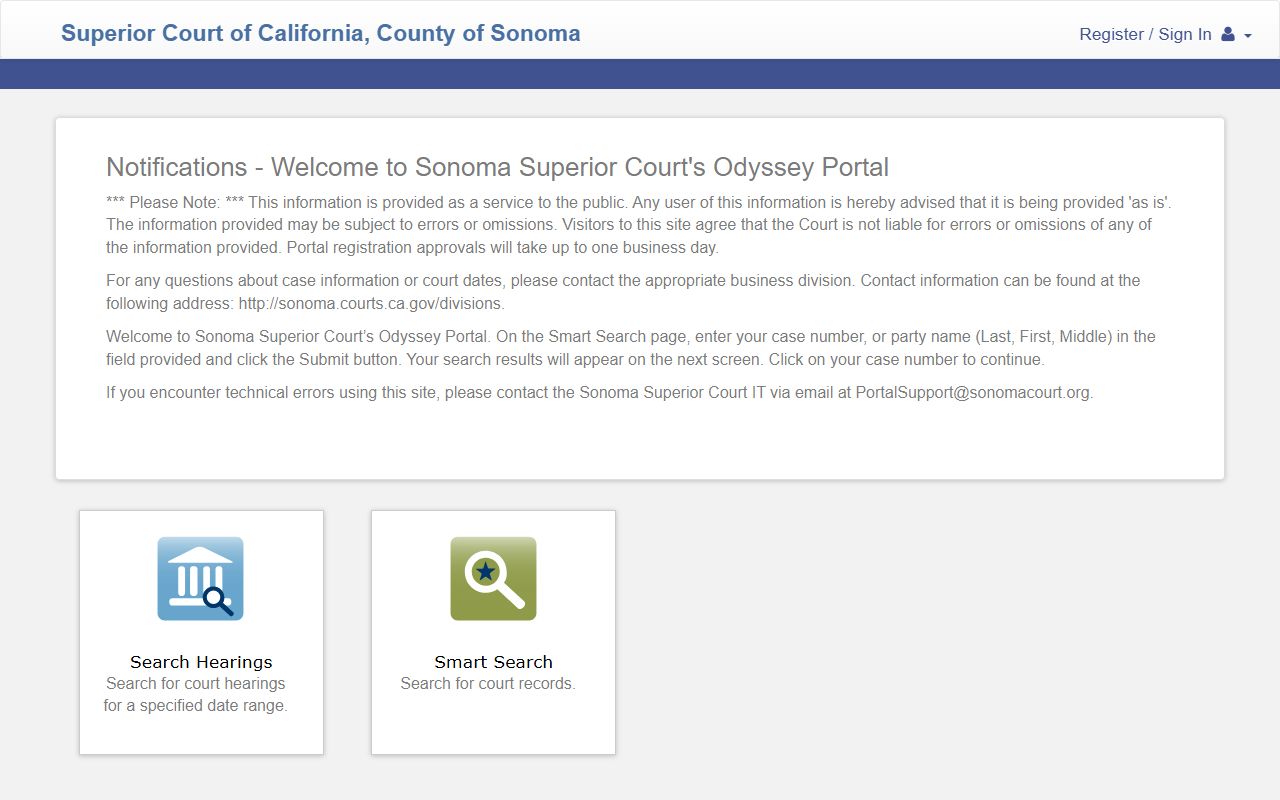
The portal is useful for filed criminal cases, but online visibility is not the same as full courthouse access to every document or older record.
How Charges Get Filed After an Arrest: Complaint, Information, and Indictment
The court record begins when a formal charging document is filed. In California criminal procedure, a complaint commonly starts a criminal case. A felony case may later proceed by information after a preliminary hearing, or by indictment through a grand jury process. The important Sonoma-specific point is that jail booking charges can be only the arrest-side version of the accusation. The filed charge in Superior Court is the prosecutor's formal case allegation.
| Charging Document | Usually Filed By | Common Use | What It Means for the Court Record |
|---|---|---|---|
| Complaint | Prosecutor | Often starts misdemeanor cases and many felony proceedings | Opens the criminal case and lists the charges the DA is filing at that stage. |
| Information | Prosecutor | Felony cases after a preliminary hearing or waiver | Replaces or refines the felony charging allegations as the case advances. |
| Indictment | Grand jury process | Less common, often for serious or complex matters | Starts or advances a case through grand jury charging rather than the ordinary complaint route. |
Charge Status in Court Records After an Arrest
Filed charges can change as a case moves. A police arrest charge may be declined or replaced. A complaint charge may be amended after review, reduced during negotiations, dismissed by the court, or resolved by plea or verdict. That is why the court record is the better source for the filed case and disposition, while the jail roster is the better source for current custody.
| Status | What It Means | Practical Reading Tip |
|---|---|---|
| Pending | The charge is still active and the case has not reached a final disposition on that count. | Check the next hearing date and any bail, release, or warrant entry tied to the case. |
| Amended | The prosecutor or court changed the charge language, count, code section, or allegation. | Compare the earlier complaint entries with the current charge list before assuming the arrest charge still controls. |
| Reduced | The charge level or offense changed to a lesser allegation, often by agreement or court action. | Look for a newer filed document, minute order, plea entry, or disposition line. |
| Dismissed | The charge no longer proceeds in that case, though other counts may remain. | A dismissal is not the same as a sealed record; public access can still depend on later relief or court order. |
| Convicted or Sentenced | The charge resulted in a guilty plea, verdict, or judgment, followed by sentencing terms where public. | After a state-prison sentence, custody lookup shifts from Sonoma jail records to CDCR CIRIS. |
Bond, Bail, and Release After an Arrest
California still uses monetary bail, bail schedules, own-recognizance release, supervised release, citation release, and no-bail holds, subject to current law and court orders. Sonoma jail staff do not create the criminal court case, but the sheriff's detention materials describe Detention Specialists as processing bonds, citations, releases, custody data, and court minutes. That creates the practical bridge between the jail and the court.
| Release Type | How It Works | Sonoma County Handling Note |
|---|---|---|
| Cash bail | The full amount is paid to secure release while the case is pending. | Confirm current payment location and method with the jail or court; do not assume a roster entry is a full bail payment instruction. |
| Surety bond | A licensed bail agent posts bond for a fee or collateral. | Use licensed agents and confirm Sonoma jail release procedure before relying on a quote. |
| Own recognizance | The court releases the person on a promise to appear without posting money. | This is a court decision, often made at a first appearance or release review. |
| Supervised release | Release occurs with monitoring, reporting, or other pretrial conditions. | Terms depend on a court order and any county pretrial services process. |
| No-bail hold | Payment alone will not release the person. | May involve serious charges, warrants, probation or parole holds, federal or ICE detainers, or another jurisdiction. |
If bail or release information is not clear in the jail result, call the detention access line at (707) 565-1400 or check the Superior Court case after filing. A court minute order, warrant, detainer, or no-bail status can override what a family member expects from a simple roster search.
Warrants That Lead to a Jail Arrest
A warrant can create the arrest that leads to booking. Sonoma Sheriff maintains an official warrant search page, but public result fields can depend on the live warrant-search interface. Treat the official page as the first online stop, then confirm through the court, sheriff records, or an attorney when the result may affect arrest risk.
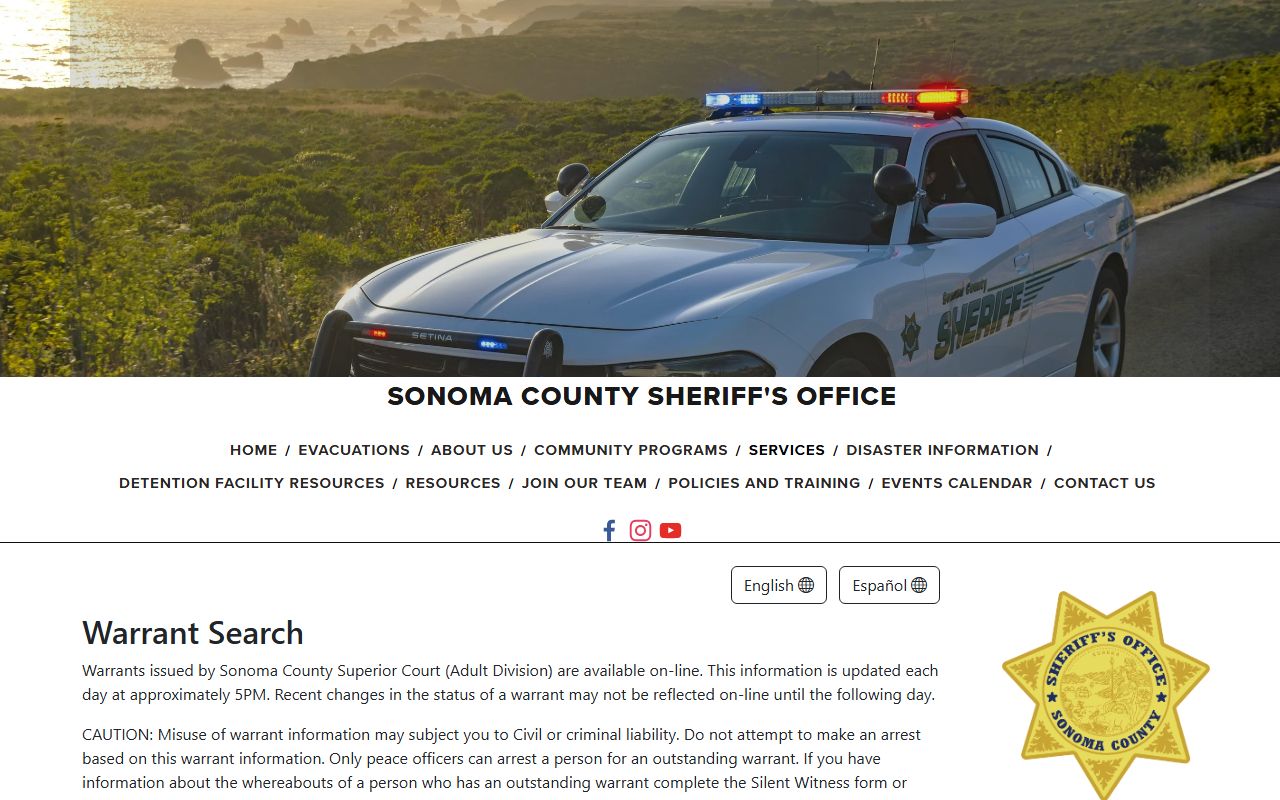
Bench warrants and failure-to-appear warrants often tie back to the Superior Court case, so a court portal search can explain why the warrant exists.
An arrest warrant is issued to take a person into custody based on alleged offense or probable cause. A bench warrant is usually issued by a court for failure to appear or comply. A search warrant authorizes a search and is not the same as a custody warrant. A fugitive warrant or hold can mean another jurisdiction is seeking custody. If the person is arrested on a warrant and remains in Sonoma custody, search the jail roster; if released or transferred, use the court case and sheriff records request channels.
Charges vs. Convictions in Sonoma Court Records
An arrest and a charge are not convictions. A charge is an accusation filed in a case. A conviction requires a guilty plea, verdict, or other judgment. Public court records may show both accusations and outcomes, so the disposition line matters more than the initial charge list when evaluating the final result.
| Charge | Conviction | |
|---|---|---|
| Stage | Filed accusation after DA review | Case outcome after plea, verdict, or judgment |
| What It Proves | Only that the government alleged an offense | That guilt or liability was established in the criminal case |
| Where It Appears | Complaint, information, indictment, minute entries, and case summaries | Disposition, plea, sentencing, abstract, or judgment entries where public |
| Custody Effect | May affect bail, release conditions, holds, and hearing schedule | May result in jail, probation, fines, treatment conditions, or CDCR transfer |
Sealed vs. Expunged or Restricted Court Records
California terminology matters. Penal Code 851.92 provides arrest-record sealing relief for eligible people after qualifying non-conviction outcomes or other relief conditions. A sealing order can restrict public access to official arrest records. California also uses dismissal and relief procedures that people often call expungement, but that does not always mean every record is destroyed or every trace disappears from every public or private database.
| Sealed | Expunged, Dismissed, or Restricted | |
|---|---|---|
| Main Effect | Public access to the official arrest or case record is limited by statute or court order. | The record may show dismissal or relief, or access may be limited depending on the specific procedure. |
| Public Portal | The case or arrest details may not appear, or may show only limited information. | The portal may still show a case with a changed disposition unless a separate restriction applies. |
| Agency Access | Law enforcement or courts may retain limited access allowed by law. | Access depends on the type of relief and the agency holding the record. |
| Best Fallback | Contact the court clerk or relevant agency with the sealing order or case number. | Use the court record, order, or attorney guidance rather than assuming internet copies update automatically. |
CR-01 Fallback for Older or Missing Court Records
If Smart Search does not show the case, the official fallback is Sonoma Superior Court form CR-01, the criminal, civil, and traffic record search or copy request form. The form identifies the Superior Court of California, County of Sonoma, Hall of Justice, 600 Administration Drive, Room 110J, Santa Rosa, CA 95403. It asks requesters to provide enough information for a record search and copies, including the case category. Use it for older records, copy requests, cases that are hard to match online, or records that require clerk review.
CR-01 is not a shortcut around sealed, juvenile, confidential, or otherwise restricted material. It is a clerk request channel. Include the person's full name, case number if known, approximate arrest or filing date, booking number if known, and the record type needed. For sheriff-generated arrest reports or booking records, use the sheriff public-records process instead of CR-01.
Background Check Considerations
Casual public case lookup is not the same as a legally compliant background check. Court records can be incomplete online, limited by access rules, delayed after same-day filings, or changed by later orders. Government Code 7923.610 supports public release of specified arrest information by law enforcement, but exemptions and safety limits still apply. Penal Code 4006 supports the existence of jail booking records. Neither statute turns a public website search into a consumer report.
Important: This site is not a consumer reporting agency, and the information here cannot be used for FCRA-covered decisions.
Restricted Court Records After an Arrest in Sonoma County
Some Sonoma County court records after an arrest are not fully public online. Juvenile matters, sealed arrest records, confidential filings, victim or witness protections, protective-order-related details, and active investigation limits can restrict what appears in public search results. Online search limits also affect practical access: a case can exist even if a public portal search does not show every document.
For custody status, use the Sonoma Sheriff jail search, the jail phone line, VINELink notifications where available, or the appropriate CDCR, BOP, or ICE locator when the person is outside county jail custody. For filed charges and court outcomes, use Odyssey Portal first, then CR-01 or the clerk. Separating custody status from case status prevents the common mistake of treating a missing jail result as proof that no Sonoma Superior Court case exists.